Phone Lag Check English ▾

Phone slow all of a sudden?
Find the cause first

Memory, heat, apps running in the background, storage. See what is slowing your phone down right now with one tap.

Get it free on Google Play Android 10+ · No ads · No internet permission
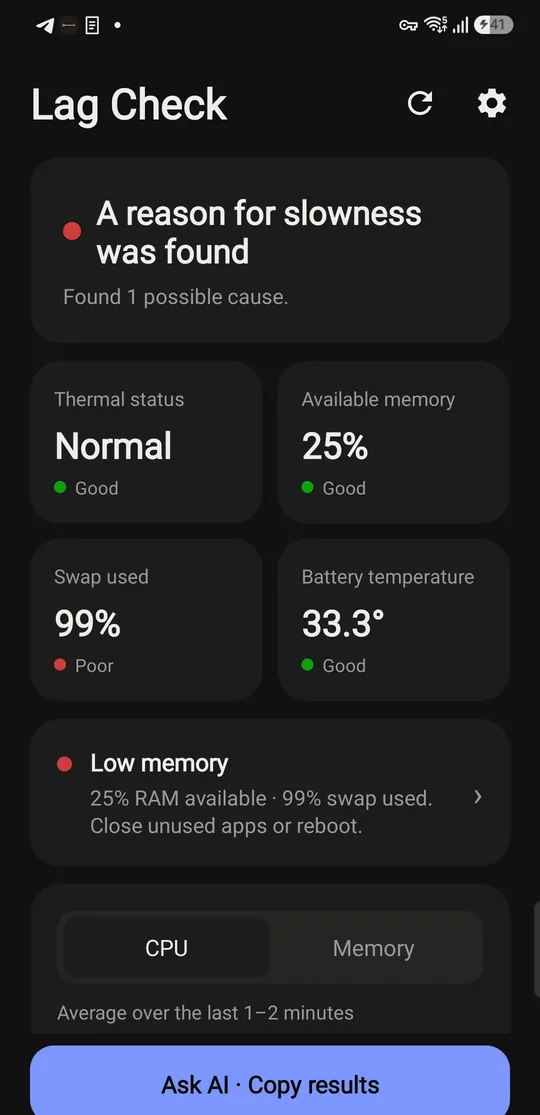
Phone Lag Check result screen showing low memory as the cause

4 reasons your phone is slow, and how to fix each

Lag almost always comes from one of these four. The fixes are different, so knowing which one it is saves time.

01Low memory (RAM)

With many apps open, RAM runs out and the phone starts using part of its storage as "swap". Swap is much slower than RAM, so switching apps stutters and the screen freezes for a moment.

  • Close apps you aren't using from the recent apps screen
  • Restart if the phone has been on for days
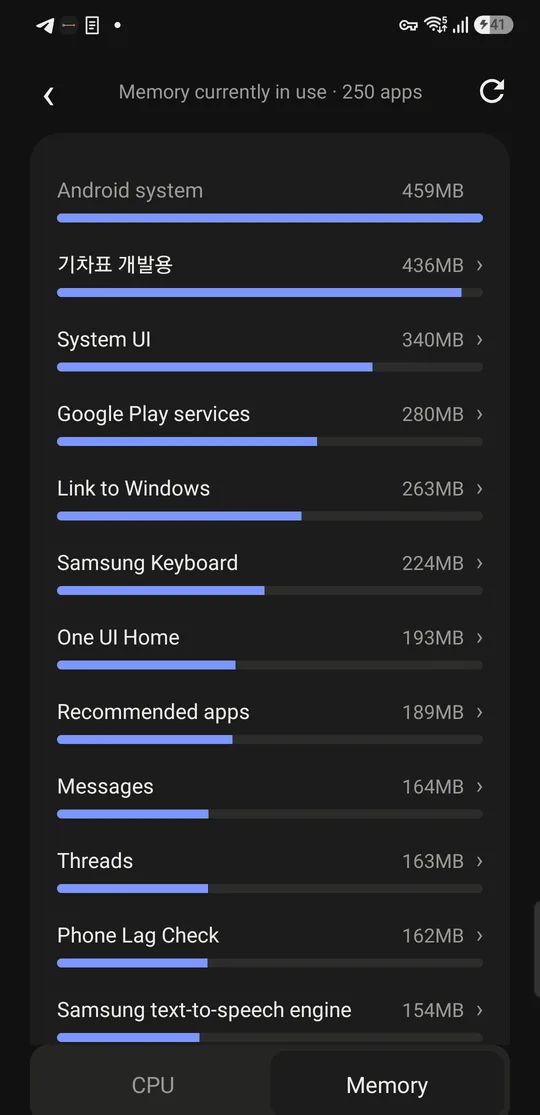
  • Find the apps using the most memory
Memory usage ranked by app

02Overheating and throttling

When the phone gets hot, it slows itself down to protect its parts. Gaming, using it while charging and direct sunlight are common causes. That is why a phone that is slow and hot usually has both problems at once.

  • Unplug the charger and let it rest
  • Take off the case so heat can escape
  • Don't put it in the fridge or freezer (moisture forms inside)
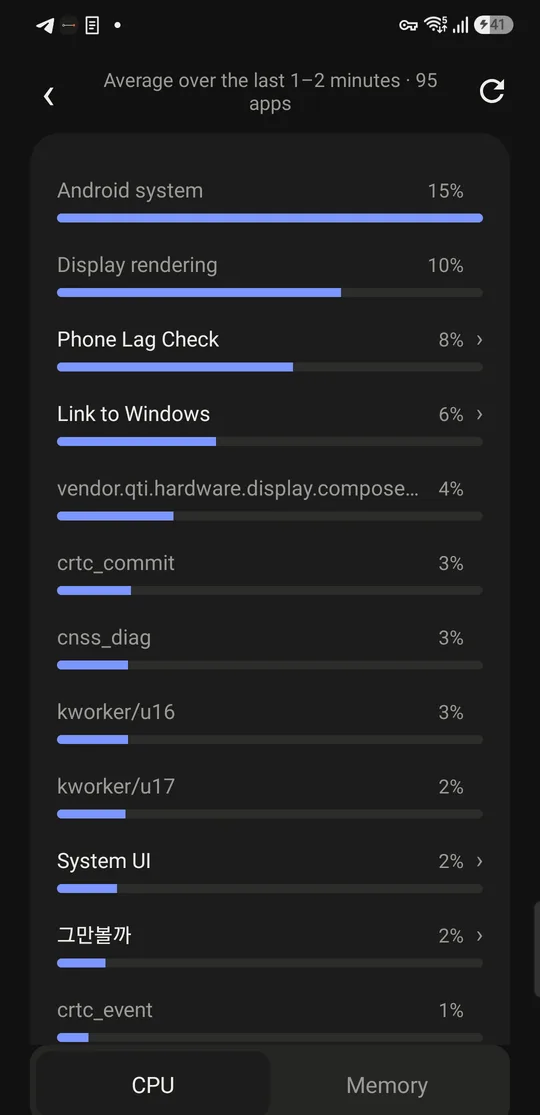
CPU usage ranked by app

03Apps that keep running

Apps that show a "running" notification keep working even with the screen off. A few of them together eat battery and memory.

  • Set apps you don't need to "Restricted" in battery settings
  • Uninstall apps you no longer use
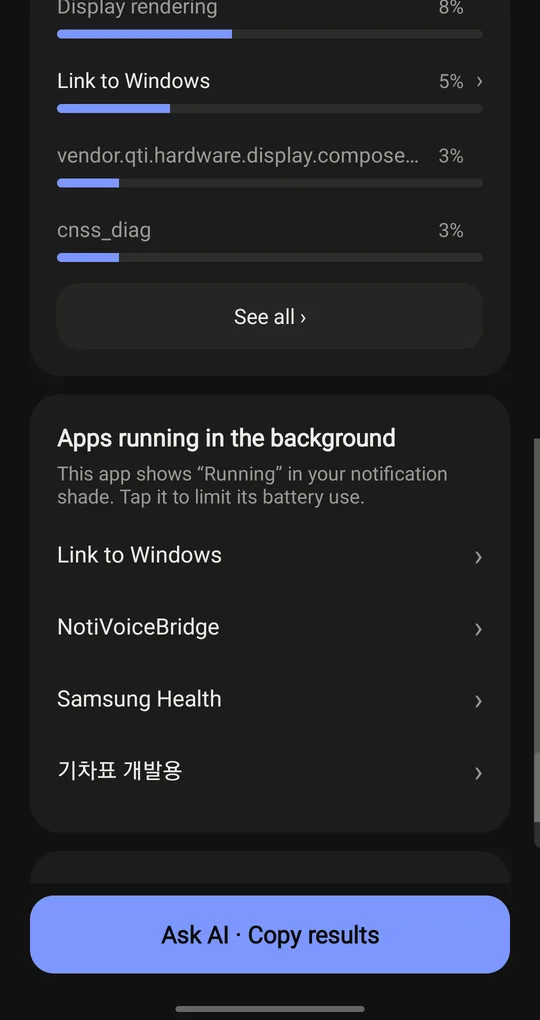
List of apps running in the background

04Storage almost full

When storage is nearly full, installing apps, saving photos and system maintenance all slow down. Keep at least 10% free.

  • Clear old videos and duplicate photos
  • Remove unused apps and large caches

A real check, step by step

A Galaxy S23 that felt choppy when switching apps. Heat was fine; memory and background apps were the cause.

Swap used99%Out of RAM, using slow storage instead
Apps that keep running5Working in the background with the screen off
HeatNormalBattery 29.8°C, no throttling

The fix here was a restart and restricting background use. No cooling needed. Knowing the cause means less to do.

Questions

Why is my phone slow all of a sudden?

Usually one of four things: low memory, thermal throttling from heat, apps that keep running in the background, or nearly full storage. Each has a different fix, so finding the cause first is the fastest way.

How do I fix a lagging Android phone?

For low memory, close unused apps or restart. If heat is the cause, unplug the charger and pause heavy apps. Restrict background use for apps that keep running, and keep at least 10% of storage free.

Is it free?

Yes. It is free and has no ads.

Do I need root or a computer?

No. The basic check works right after install. Shizuku is optional, only if you want CPU usage for every app.

Does it send my data anywhere?

No. The app has no internet permission, so it cannot send anything. Everything is checked on your phone.

Does it work on iPhone?

Not yet. It works on Android 10 and later.

Next time your phone lags, tap once

Run a check straight from the home screen widget.

Get it free on Google Play